

HTTP access to 1500+ tools via a single auth flow and JSON-RPC 2.0.

Get Started

Before you can make API calls, you need an API key and your Organization ID.
1

Create a Pinkfish account

Sign up at pinkfish.ai if you don’t have an account.
2

Create an API key

Go to Settings → API Keys → Create. Copy the key immediately — it’s only shown once.
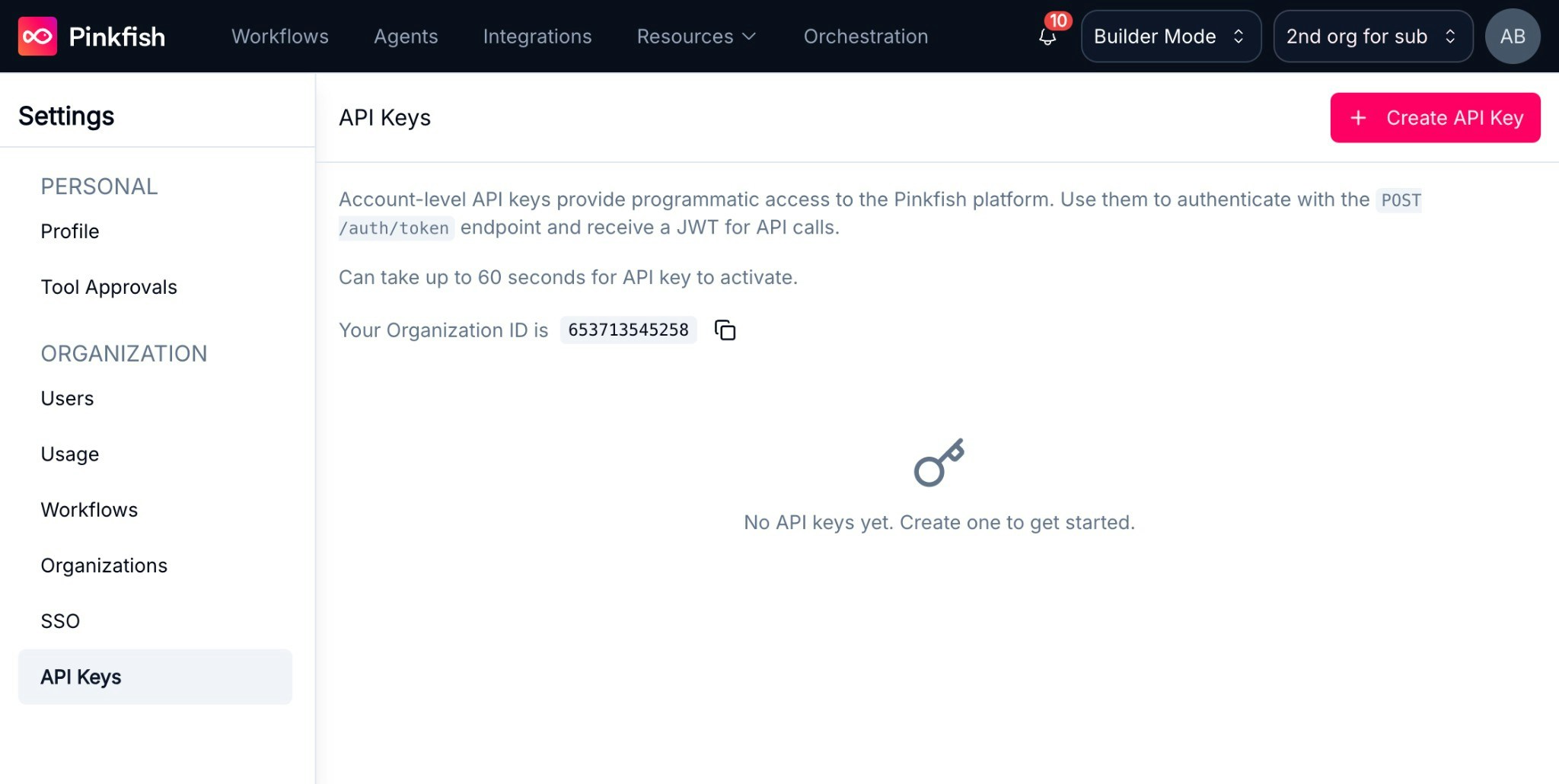
Settings → API Keys page in the Pinkfish dashboard
3

Find your Organization ID

Your Organization ID is displayed on the Settings → API Keys page, or under Settings → Organization.
New API keys may take up to 60 seconds to activate.

How It Works

Every API call follows two steps:
  1. Authenticate — Exchange your API key for a short-lived runtime token (JWT, 60 min)
  2. Call a tool — Send a JSON-RPC 2.0 request to the MCP Farm with your token

Quick Start

Requires curl and jq. Replace YOUR_API_KEY and YOUR_ORG_ID with the values from the steps above.
# 1. Exchange API key for runtime token
export PINKFISH_TOKEN=$(curl -s -X POST "https://app-api.app.pinkfish.ai/auth/token" \
  -H "X-Api-Key: YOUR_API_KEY" \
  -H "X-Selected-Org: YOUR_ORG_ID" \
  -H "Content-Type: application/json" | jq -r '.token')

# 2. Call a tool
curl -s -X POST "https://mcp.app.pinkfish.ai/web-search" \
  -H "Authorization: Bearer $PINKFISH_TOKEN" \
  -H "Content-Type: application/json" \
  -H "Accept: application/json" \
  -d '{"jsonrpc":"2.0","method":"tools/call","params":{"name":"search_googlesearch","arguments":{"q":"latest AI news"}},"id":1}'
To use application MCPs like Google or Microsoft services (Gmail, Slack, Google Drive, etc.), you will additionally need to retrieve a PCID. See the Connecting to MCPs documentation to learn how.

Key Concepts

ConceptDescription
API KeyAccount credential. Exchange for a runtime token.
Runtime TokenJWT from /auth/token. Bearer token for all MCP requests (60 min).
MCP FarmJSON-RPC 2.0 gateway over HTTPS.
ServerTool collection (e.g. gmail, web-search).
ToolCallable action (e.g. search_googlesearch, gmail_search_emails).
PCIDConnection ID. Required for OAuth integrations (Gmail, Slack).

Base URLs

Learn More

PageDescription
AuthenticationAPI keys and runtime tokens
MCP ProtocolRequest format, list servers, call tools
Connecting to MCPsPCIDs and external integrations
DiscoveryFind tools using natural language
Discover, Install, and InvokeFind tools at runtime, add to agent, call them
Bring Your Own AgentSystem prompt for connecting your own agent
Pinkfish AgentsCreate, invoke, and manage Pinkfish agents
Code ExecutionSandboxed JavaScript for chaining tools
Browser AutomationNatural language browser automation
WorkflowsAutomations with triggers and scheduling

Limits

See Rate Limits for per-service request limits.