

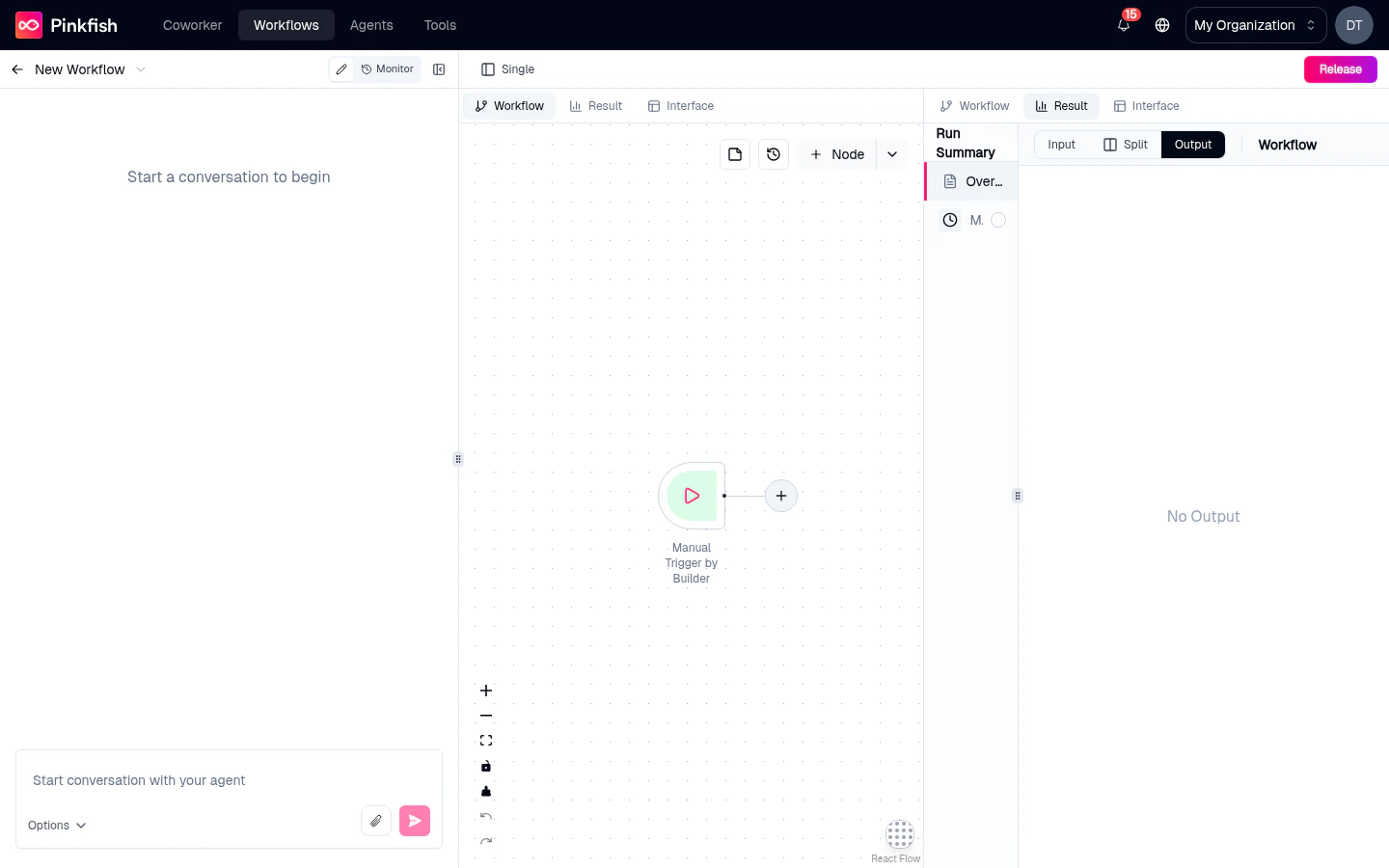
Turning Split View on
Click the Split button on the tab bar (the columns icon, labeled Split). The right pane divides in two — each half gets its own tab bar. The currently active tab stays on the left; the right side defaults to the first available tab. When Split is on, the button flips to Single (panel icon) — click it to collapse back into the standard single-pane view.Choosing which tab appears on each side
Each half has its own tab bar at the top. Click any tab label within that bar to switch what’s shown on that side. Every combination is valid — including putting Workflow on the right and Log on the left.Resizing the split
Drag the vertical divider between the two panels to resize. The split defaults to 50/50 but saves whatever ratio you leave it at.Common use cases
Debug a node
Workflow left, Result right — click nodes on the canvas and watch their outputs appear instantly.
Read the generated code
Workflow left, Code right — see what node maps to what function as you browse.
Trace an error
Code left, Log right — jump from a log error to the line that produced it.
Build and preview a form
Workflow left, Interface right — tweak which node is designated output and see the preview update.
Keyboard behavior
When both sides show a different tab, click inside whichever side you want to interact with — its controls (zoom, view mode, version selector) become active. Only one side has focus at a time.Monitor mode
Split View is specific to the Editor view mode. When you switch to Monitor mode, the right pane takes over entirely and Split is not available.What’s next
Editor tabs
The five tabs that can appear on either side of the split.
Canvas
The Workflow tab in depth.