

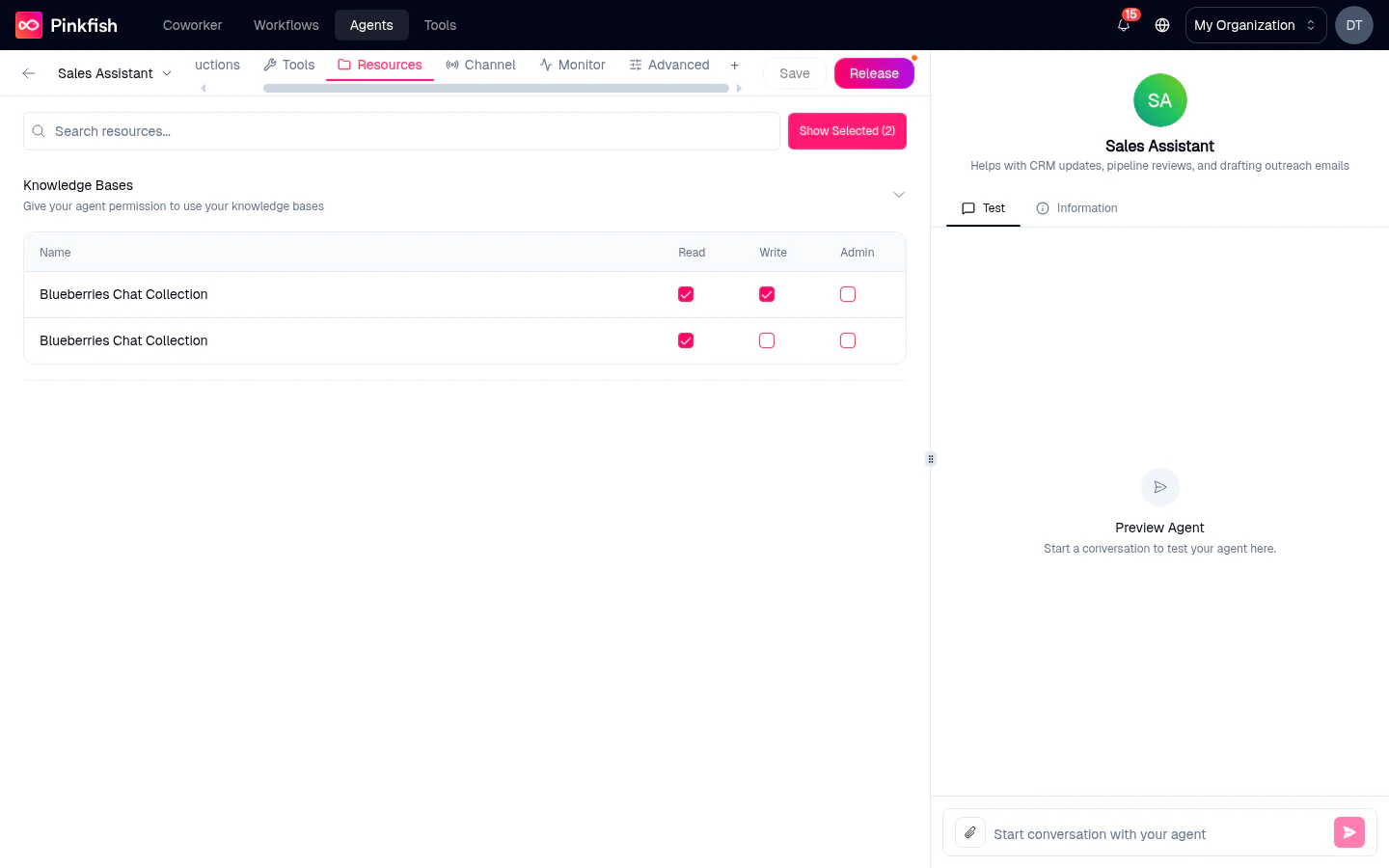
The four resource types
Structured Databases
Pinkfish datastores with a schema — tables with typed columns. Think customer records, opportunities, tickets.“Give your agent permission to use your structured databases (tables)”Attach a structured datastore and the agent can query it, filter rows, add new rows (if you grant Write), or delete rows (if you grant Admin). See Datastore for how to create one.
Unstructured Databases
Datastores that store freeform documents or JSON blobs without a fixed schema. Useful for rolling logs, notes, and anything that doesn’t fit a table.Files
Pinkfish filestores — a place to store PDFs, images, spreadsheets, and any binary content. Attach a filestore and the agent can upload new files, read existing ones, or — with Admin — delete them. See Filestore for details.Knowledge Bases
Semantic search over your documents. Attach a KB collection and the agent can perform natural-language queries against its contents and get back ranked snippets. See Knowledge Base for ingestion details.Permissions
Every attached resource requires at least one permission to be checked. The three permissions:
Grant the minimum permission the agent genuinely needs. A customer-support agent probably needs
Read on product docs but nothing more; a data-entry agent needs Write but not Admin.
Search and filter
- Search resources… — free-text filter over collection names and descriptions.
- Show Selected (N) — collapse the view to just the resources you’ve attached.
Nreflects the current count.
Automatic tool injection
When you attach a resource and grant permissions, Pinkfish automatically adds the matching tools to your agent under Tools → Auto-selected Tools. You don’t need to also go to the Tools tab and pick the datastore-query tool — the platform does it for you based on the permissions you picked. Example: attach a structured datastore with Read permission, and the internal datastore-query tool lights up. Grant Write, and the insert tool is added too. Remove the resource, and the tools are removed. This means the Resources tab is the only place you configure what data the agent can reach. The Tools tab stays focused on actions.Sharing resources vs sharing agents
Sharing an agent with a colleague gives them chat access to the agent — they can talk to it. It does not give them access to the attached resources.- For structured/unstructured datastores and filestores, each user still needs to have their own access to the underlying collection (or the collection must be org-wide).
- For knowledge bases, the same rule applies.
Related
- Tools tab — actions (not data).
- Datastore — how to create and populate structured/unstructured datastores.
- Filestore — binary-file storage.
- Knowledge Base — semantic search over documents.