

What’s in this section
My Agents
The
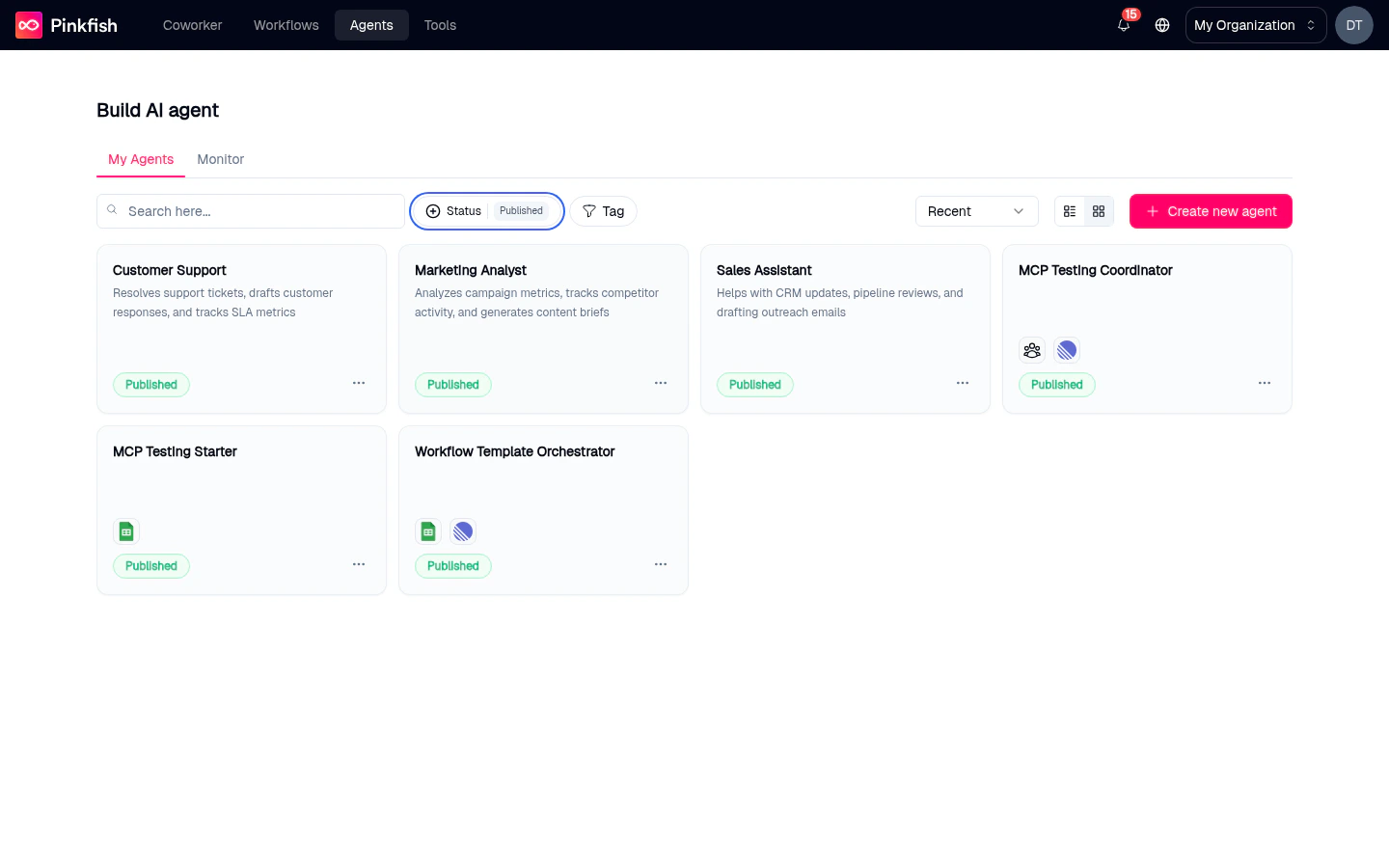
/agents page — list, filter, search, and monitor all agents in your workspace.Agent Builder
Anatomy of the builder: tabs on the left, live preview on the right, save and release controls on top.
Instructions
Name, icon, description, system prompt, model choice, and prompt bubbles.
Tools
MCP connections, embedded services, agents-as-tools, and workflows-as-tools.
Resources
Attach datastores, filestores, and knowledge bases with Read / Write / Admin permissions.
Channels
Publish your agent to Slack, Microsoft Teams, or a public External URL.
Monitor
Replay an agent’s chats, inspect tool calls, and debug behavior from inside the builder.
Advanced
Output Schema — force structured JSON responses when calling the agent via API.
Save & Release
The draft-vs-release model, how releases reach Coworker, and how to roll back.
MCPs
How agents discover and invoke MCP tools from your integrations.
Agent types
Pinkfish supports two agent types:- Chat — A conversational agent that responds to messages. Use for assistants, researchers, and copilots.
- Workflow — An agent bound to a specific workflow. Use when you want a workflow run to be triggered conversationally.
Where agents run
An agent can answer messages from any of these places once you release it:- Coworker — The chat tab inside Pinkfish.
@-mention the agent in a Coworker chat. - Slack — Connect a Slack workspace in the Channels tab.
- Microsoft Teams — Connect a Teams tenant in the Channels tab.
- API — Programmatic access with an agent API key. See Agent Management API.
How the pieces fit together
1
Write instructions
On the Instructions tab, give the agent a name, an icon, a description users will see, a system prompt that defines its behavior, and a model. Optionally add prompt bubbles — one-click conversation starters.
2
Pick tools
On the Tools tab, select MCP servers (integrations), Embedded Services, other agents you want this agent to be able to delegate to, and workflows it can trigger. Pinkfish adds a few Auto-selected Tools for every agent.
3
Attach resources
On the Resources tab, grant read/write/admin access to specific datastores, filestores, and knowledge bases. Required tools are added to the Tools tab automatically.
4
Pick channels
On the Channels tab, enable Slack, Microsoft Teams, or make the agent public via External. A published release is required before External works.
5
Test in preview
The right-hand Preview pane is a live chat against your current draft. Click Information in the preview to double-check the selected model, tools, and resources.
6
Save, then release
Save commits a draft. Release publishes an immutable snapshot that becomes available in everyone’s Coworker tab (subject to sharing).
Agent Memory
Agent Memory
Store and recall user preferences and context across conversations and
sessions.
Sharing agents
Agents can be shared with other people in your org via the agent’s Share action. Recipients get access to chat with the agent, but they must connect their own integrations — Pinkfish does not share your OAuth tokens. See the API reference for programmatic sharing.Related features
- Coworker — Where released agents appear for
@-mention and chat. - Agent Monitor — Org-wide view of every agent chat across all users.
- Datastores, Filestores, Knowledge Bases — The three resource types you can attach.
- API connections — The integrations that feed the Tools tab.