> ## Documentation Index
> Fetch the complete documentation index at: https://docs.pinkfish.ai/llms.txt
> Use this file to discover all available pages before exploring further.
# Channels tab
> Choose where users and other systems can reach your agent — then click through for setup details on each channel
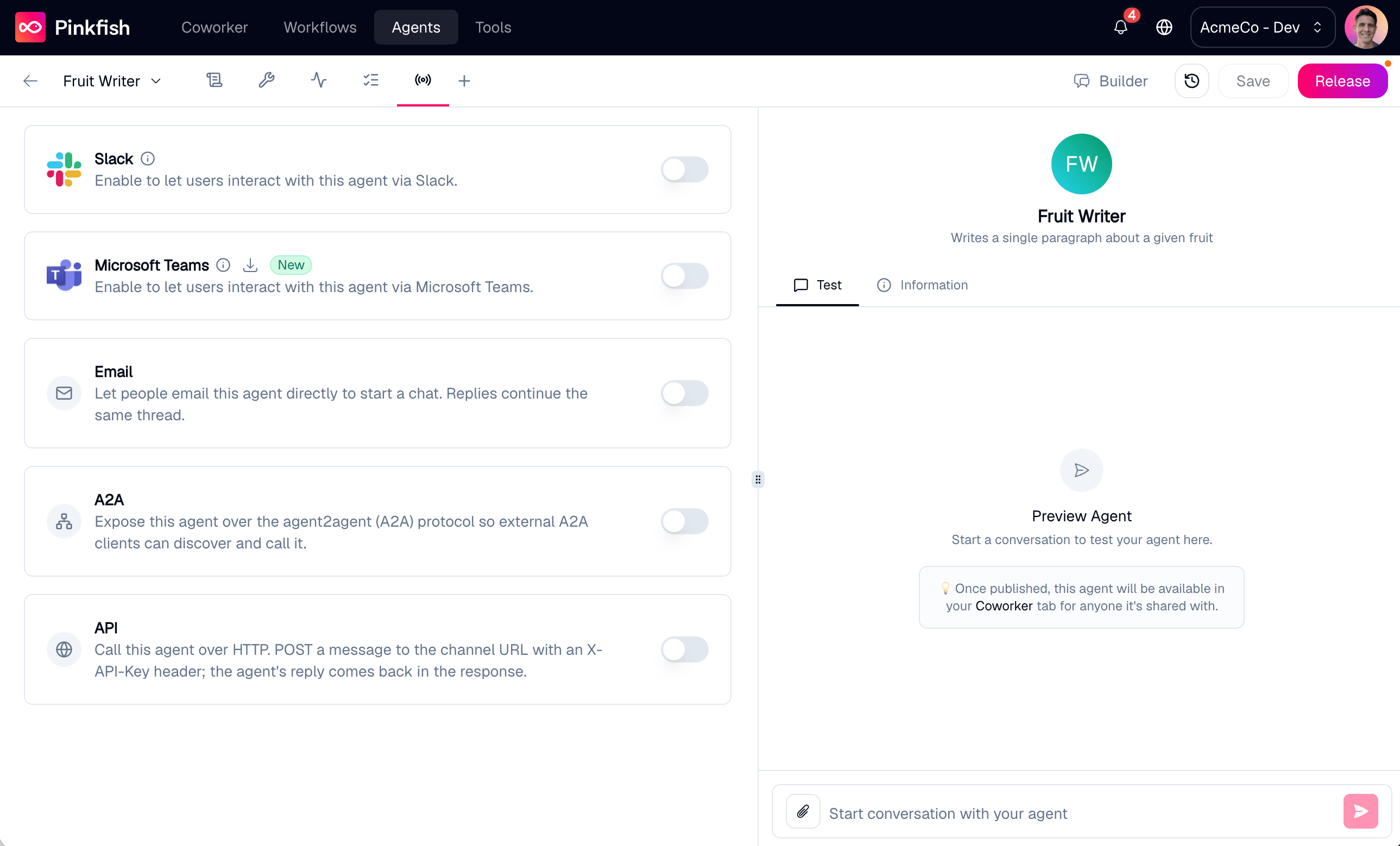
The **Channels** tab controls where your agent can be reached. By default every agent is usable from Coworker inside Pinkfish; channels extend that reach to other surfaces. Each channel is a toggle on this tab — turn one on, and the deep-dive page below covers its setup, behavior, and limits.
 ## Available channels
`@`-mention or DM the agent from Slack on desktop, web, or mobile. Enable per agent or org-wide.
Message the agent from the Teams chat surface. Conversations sync back to Coworker.
Call the agent over plain HTTP — POST a message with an `X-API-Key` header, get the reply back.
Expose the agent over the open agent-to-agent (A2A) protocol so external agents can discover and call it.
Every agent is also reachable from [Coworker](/coworker/overview), the default web channel — it's always on and isn't a toggle on this tab.
## Before you enable a channel
* **Save first.** New agents must be saved at least once before a channel can be enabled. Toggling a channel on an unsaved agent pops a **Save agent first** modal.
## Channel behavior at runtime
When a channel is enabled, Pinkfish maps each conversation there back to an agent chat. Thread context is preserved: a Slack thread, a Teams reply chain, and a Coworker chat each become their own conversation record the agent sees in sequence. The programmatic channels carry the conversation handle explicitly — the [API channel](/api-reference/platform/agent-api-channel) via `chatId` and [A2A](/api-reference/platform/a2a) via `contextId` — which you pass back on each call to continue a conversation.
Org admins can opt individual agents out of org-wide channel enablement via the [Agent Management API](/api-reference/platform/agent-management). For most users, the per-agent toggles on this tab are all you need.
## Related
* [Save & Release](/agents/releases) — what **Save** does; an agent must be saved once before a channel can be enabled.
* [Coworker](/coworker/overview) — the default web channel, always on.
* [Agent Management API](/api-reference/platform/agent-management) — create, manage, and invoke agents programmatically.
## Available channels
`@`-mention or DM the agent from Slack on desktop, web, or mobile. Enable per agent or org-wide.
Message the agent from the Teams chat surface. Conversations sync back to Coworker.
Call the agent over plain HTTP — POST a message with an `X-API-Key` header, get the reply back.
Expose the agent over the open agent-to-agent (A2A) protocol so external agents can discover and call it.
Every agent is also reachable from [Coworker](/coworker/overview), the default web channel — it's always on and isn't a toggle on this tab.
## Before you enable a channel
* **Save first.** New agents must be saved at least once before a channel can be enabled. Toggling a channel on an unsaved agent pops a **Save agent first** modal.
## Channel behavior at runtime
When a channel is enabled, Pinkfish maps each conversation there back to an agent chat. Thread context is preserved: a Slack thread, a Teams reply chain, and a Coworker chat each become their own conversation record the agent sees in sequence. The programmatic channels carry the conversation handle explicitly — the [API channel](/api-reference/platform/agent-api-channel) via `chatId` and [A2A](/api-reference/platform/a2a) via `contextId` — which you pass back on each call to continue a conversation.
Org admins can opt individual agents out of org-wide channel enablement via the [Agent Management API](/api-reference/platform/agent-management). For most users, the per-agent toggles on this tab are all you need.
## Related
* [Save & Release](/agents/releases) — what **Save** does; an agent must be saved once before a channel can be enabled.
* [Coworker](/coworker/overview) — the default web channel, always on.
* [Agent Management API](/api-reference/platform/agent-management) — create, manage, and invoke agents programmatically.